Simplode Suite - Mouse Utilities
Steam Store Page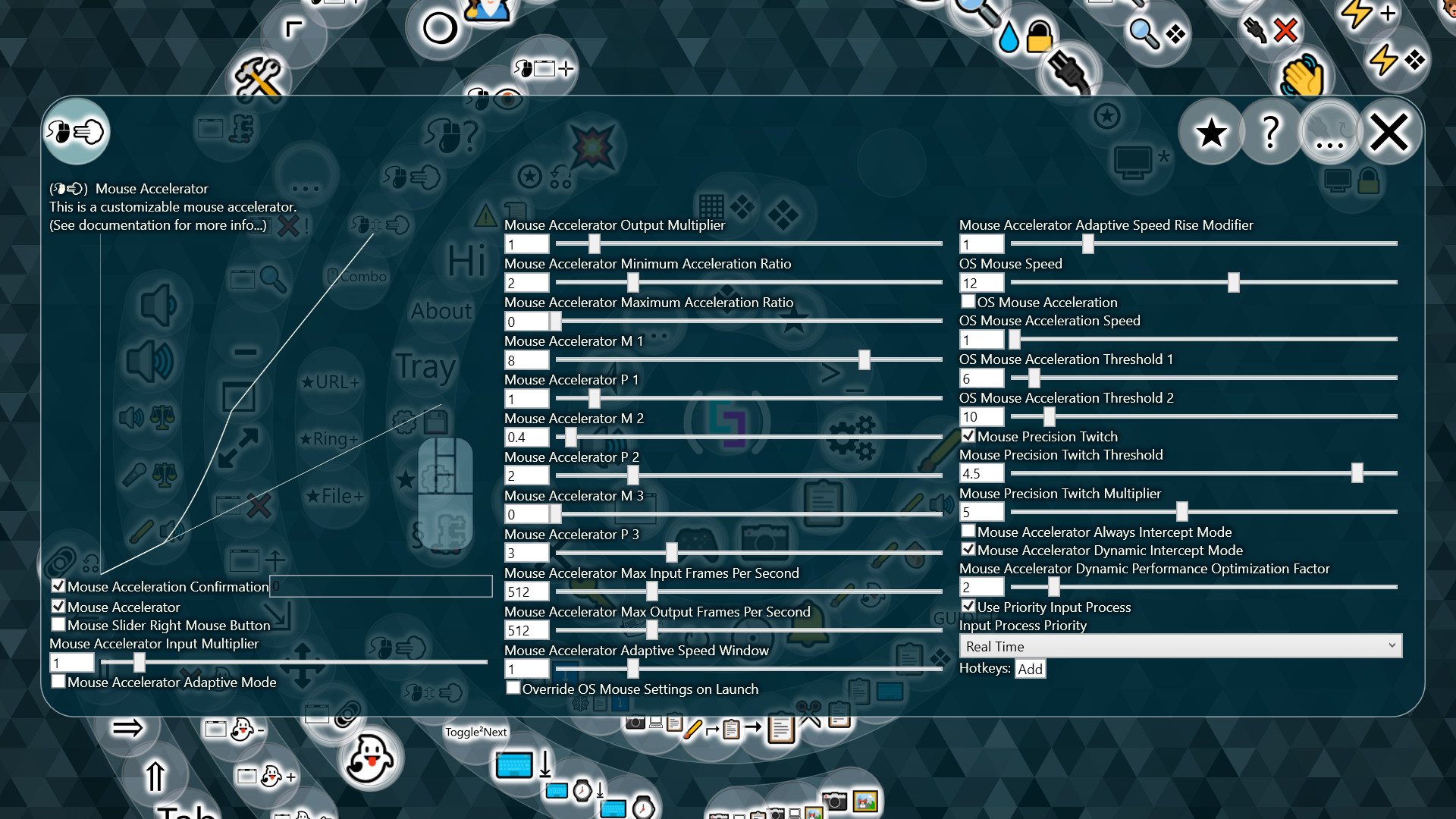
Mouse Utilities help you improve productivity and reduce strain when using the mouse. Customize the acceleration curve of your mouse. Accelerate your mouse wheel. Quickly find your cursor, or follow your cursor with a large mouse indicator visual.
Launch a coin for Simplode Suite - Mouse UtilitiesYou type the name and ticker and upload your own image. 80% of its fees are held for the developer.
Fee split for every coin
Claim status
No coin yet. The developer can claim before any coin exists.
The developer connects a wallet, gets a one-time code and posts it in a Steam announcement for Simplode Suite - Mouse Utilities (or the store page About text). We read Steam and pay out. Claim fees
Payments
Nothing paid to the developer yet.
About This Game
Mouse Utilities help you improve productivity and reduce strain when using the mouse. Customize the acceleration curve of your mouse. Accelerate your mouse wheel. Quickly find your cursor, or follow your cursor with a large mouse indicator visual.
This product is available natively in English, but it has automated translations for most major languages.
Contents: Mouse Display (🖰👁), Cursor Finder (🖰?), Mouse Wheel Accelerator (🖰⇳💨), Mouse Accelerator (🖰💨), Center Cursor (🖰🗔✛) Mouse Display (🖰👁)
Produces a visual representation of your mouse on screen to aid with presentations.
Settings: Mouse Display (Default: False)
If enabled, a visual representation of your mouse will follow the cursor, making it clear to viewers what the mouse is doing and what buttons are being pressed.
Mouse Display Background (Default: #40ADD8E6)
Changes the background color of the display mouse.
Mouse Display Background Pressed (Default: #8080FFFF)
Changes the background color of the display mouse when pressed.
Mouse Display Border (Default: #40FFFFFF)
Changes the border color of the display mouse.
Mouse Display Layout (Default: 15,0,50,100)
Controls the offset and size of the mouse display.
Mouse Display Follow (Default: True)
Mouse display will follow the cursor with the offset specified in the Mouse Display Layout configuration.
Cursor Finder (🖰?)
Helps you keep track of your cursor. When enabled, shaking your mouse will temporarily put a spotlight on your cursor.
Settings: Cursor Finder (Default: False)
If you lose track of your cursor, this feature can put a visual indicator around the cursor temporarily to help you out. All you need to do is wave the mouse around like a crazy person.
Cursor Finder Opacity (Default: 0.62)
Controls how visible the cursor highlighting will be when shaken.
Cursor Finder Shake Distance (Default: 4)
Controls how intense the mouse shake needs to be to trigger the cursor finder.
Cursor Finder Shake Amount (Default: 6)
Controls how much mouse shaking is needed to be to trigger the cursor finder.
Cursor Finder Always On Opacity (Default: 0)
Controls how visible the cursor highlighting will be at all times.
Cursor Finder Invisible Cursor (Default: False)
Unless you turn this feature on, the cursor highlighting feature will be automatically disabled when the cursor is not visible.
Deep Cursor Visibility Check (Default: False)
When...
From the game's Steam store page.